


Looking for the best augs or armor for a level? Best in Slot →
The EQStash app is in open beta: download it, leave it running, and every loot you make builds the database. Get the app →
Every item today, with illusions, quests and mobs on the way. Start typing and EQStash finds it.
Your gear, augments, AAs and stats on a page you can share. Press Sync a Persona in the app and everything is read from the game, nothing typed in. Every class you play gets its own page, free.
Tap any item in the phone.
How profiles work →Got 16 personas? We've got you covered. You can add profiles for all 16 personas for as many characters as you've got… for free.
Sync them as often as you want. Delete them at anytime. Switch profiles from public to private as often as you like.
Every item and augment is read from the log. Just click the Sync button and follow the steps.
Drop your link in Discord and it opens properly on any phone: the gear grid, the item windows and every number fit the screen.
Every sync reads your whole inventory along with your gear, and one command in game adds the items with your name on them in your houses. Open any bag, tap any item, or search everything your character owns at once, right from your phone.
Tap a bag in the phone.
How the inventory works →Every bag, the bank, the shared bank, every key ring, and the items with your name on them in your houses.
Type part of a name and every bag, bank slot, key ring and house that holds it lights up. Tap a result to go straight to it.
Open your bags side by side and work out what goes where before you log in.
Private, Members or Public, place by place. Every place starts as Members: anyone signed in to EQStash.
The new standard for EQ item data: copied straight off the game’s own window, never sniffed, never typed.
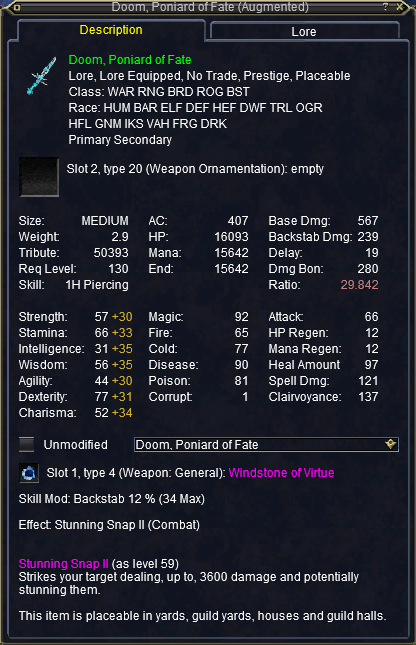
Open an item in EverQuest or Legends, press Scribe, and drag a box around its window. EQStash copies every letter the game drew, you check the copy, and the item goes into the database with your character credited to it.
How the Scribe works →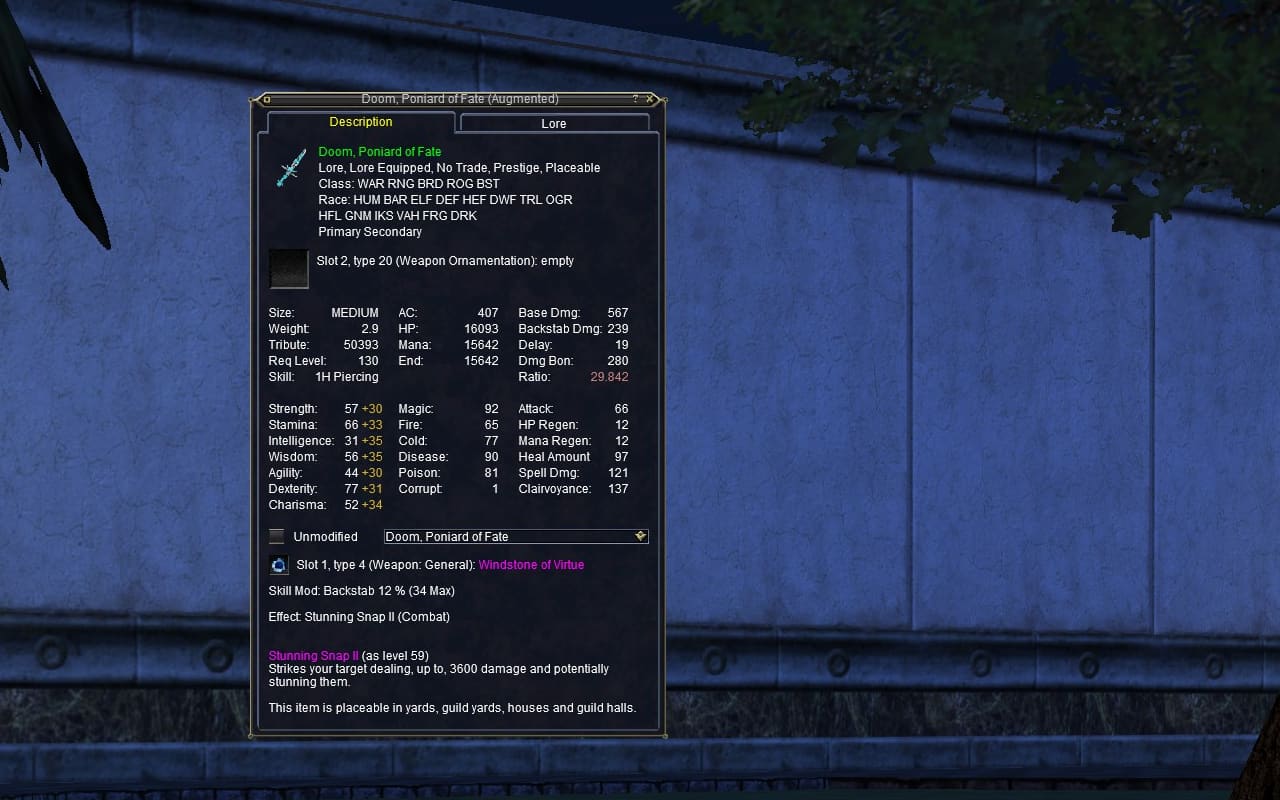
EverQuest
Griefpk on Xegony
Doom, Poniard of Fate: 33 stats read
Credited to Griefpk
Saved.
Typing unique and difficult to spell items leaves a wide margin for human error. These typos are very hard to locate afterwards.
AI guesses, and, like the typos, it’s hard to identify those errors later. EQStash only accepts letters that match the game’s own, and a human checks every item.
Pick a stat, your level and your class, and see the best augs for every slot at once. Or pick an expansion and see its armor sets, best first. Free, with no sign-in.
Tap any row in the phone.
How Best in Slot works →One question fills every visible and non-visible slot, the Energeiac slots and the charm’s luck slot included.
You can wear only one of each lore aug, so each takes one slot. The next best fills the next.
An expansion’s armor sets, ranked by chest HP, under the game’s own names.
Click a row and the item’s window opens beside the list.
Type what you’re looking for across everything your character owns, in the words players use: “things to tribute”, “stacks to merge”, “augs on my bp”. The inventory page finds it, and every item lights up where it sits.
Tap a row of the report in the phone.
Everything it can find →Every slot, stat, resist, heroic, effect and expansion, by the names players use: “earrings without augs”, “hstr over 20”, “from tov”.
Eleven reports do the sums for you: what you could tribute, which stacks to merge, which augs you hold beat the ones you wear.
Keep the searches you run every week in a menu of your own, or build new ones.
Tap any row of a report and the page goes to that item and marks it, with the rest of the report still lit.
Every line an EQStash player's game logs helps build the database for the entire community.
Every named drop from Classic through The Serpent's Spine, on one board. It lights up the first time anyone loots it, and hovering shows who, when and where.
Get the app and be ready when it opens →Reads your logs while you play, and sends updates when you loot something new. All you need to do is sign into EQStash with Discord and play EQ. That's it!
Download for Windows →Loots, kills and the items merchants carry all confirm an item. Where it drops comes from real kills, on the real server, in the right era.
How it works →Everything is built for mobile, tablet and desktop. Look something up next to the game without pinching or scrolling sideways.
Search items →Support and feature requests
Something wrong, something missing, or an idea for what EQStash should do next: all of it goes to one place.
Every item in the game, by name. Quests, mobs and NPCs come next, and one search will cover all of them.
Because everything in EQStash is a real entry. There is nothing to find that is not in the database, so the box completes your search rather than guessing at it.
No. It reads the log lines the game writes and keeps only the ones that match a rule: loots, kills, zone changes, and the items merchants carry. Tells and chat are never stored by EQStash.
Nope, you can run EQStash App at the same time as any other log tool without issue.
Join the Discord and download the app. Then leave the app open while you play: every session you run helps confirm and grow the database of all things Norrath.
Yes, for now. This is a community project and we are in the process of getting the installer signed. To get through the Windows warning you can click More info, then Run anyway.
No. EQStash works on every server, and what you see goes to the right place on its own. Live servers add to the shared Live database, and each progression server keeps its own record, so a TLP never mixes with Live. Play on the Test server and the Beta server is recorded under its own server, kept apart from the live and progression record, and never shown on the site.
For now the fan developers cover the hosting, and we are deliberate about which features ship and in what order, so costs never balloon. What you contribute will never sit behind a paywall. This is a community site, the data you add stays open, and your local data is exactly that: yours.
A challenge on the Lethar progression server: every named drop on one board, lit up the first time anyone running the app loots it. Being on the leaderboard is opt-in per character.
Yes. Everything is built for mobile, tablet and desktop. Look something up next to the game and the page fits the screen you have: one-tap search, readable results, no pinching or sideways scrolling.
Yes. Open Filters on the items page, add a stat requirement for Ratio, type your current weapon’s number, and everything that beats it is what remains. Add your class or slot and the list is your upgrade path.
Anything a character owns, in the words players use: “things to tribute”, “stacks to merge”, “augs on my bp”, “earrings without augs in the bank”. It knows every slot, stat, resist, heroic, effect, expansion and place by the names players use, and any other word searches item names. It reads your bags, bank, shared bank, Dragon’s Hoard, Tradeskill Depot, key rings, houses and guild hall. From houses and the guild hall, only the items with your name on them show.
Yes. Type /outputfile realestate in game while the EQStash app runs, and the items with your name on them in your houses appear on that character’s inventory page, in the same search as your bags and bank.
Each place has its own setting: Private (only you), Members (anyone signed in to EQStash) or Public (anyone with the link). Every place starts as Members. Set them in the app’s character menu.
On our Discord. Support and feature requests both live there, and it is where changes get announced first.
Account
Sign in to see your view of every persona you have synced, and the public page of each one you made public.
Discord gives us your user ID, display name and avatar. We never see your Discord password. More in the privacy statement.
Profiles come from the EQStash app, free for Windows. Get the app
There is nothing at this address. The link may be out of date.
Search all items to find what you were after.
Sign in to send a report. Signing in takes a Discord account.