


Looking for the best augs or armor for a level? Best in Slot →
The EQStash app is in open beta: download it, leave it running, and every loot you make builds the database. Get the app →
Features · The Scribe
Open an item’s window in the game and press Scribe. EQStash copies every stat, letter by letter, straight off the window. You check the copy, and the item goes into the database with your character credited to it.
Free. Every item goes in with the game and server it came from, credited to your character.
The Scribe card floats over the game. Press Scribe, drag a box, and the game has the focus again.
It reads item windows and nothing else, and only inside the box you draw.
No need to pull them out first. The Scribe takes their stats off before it stores the item, so the database keeps the item as it drops.
The same card and the same box in both games.
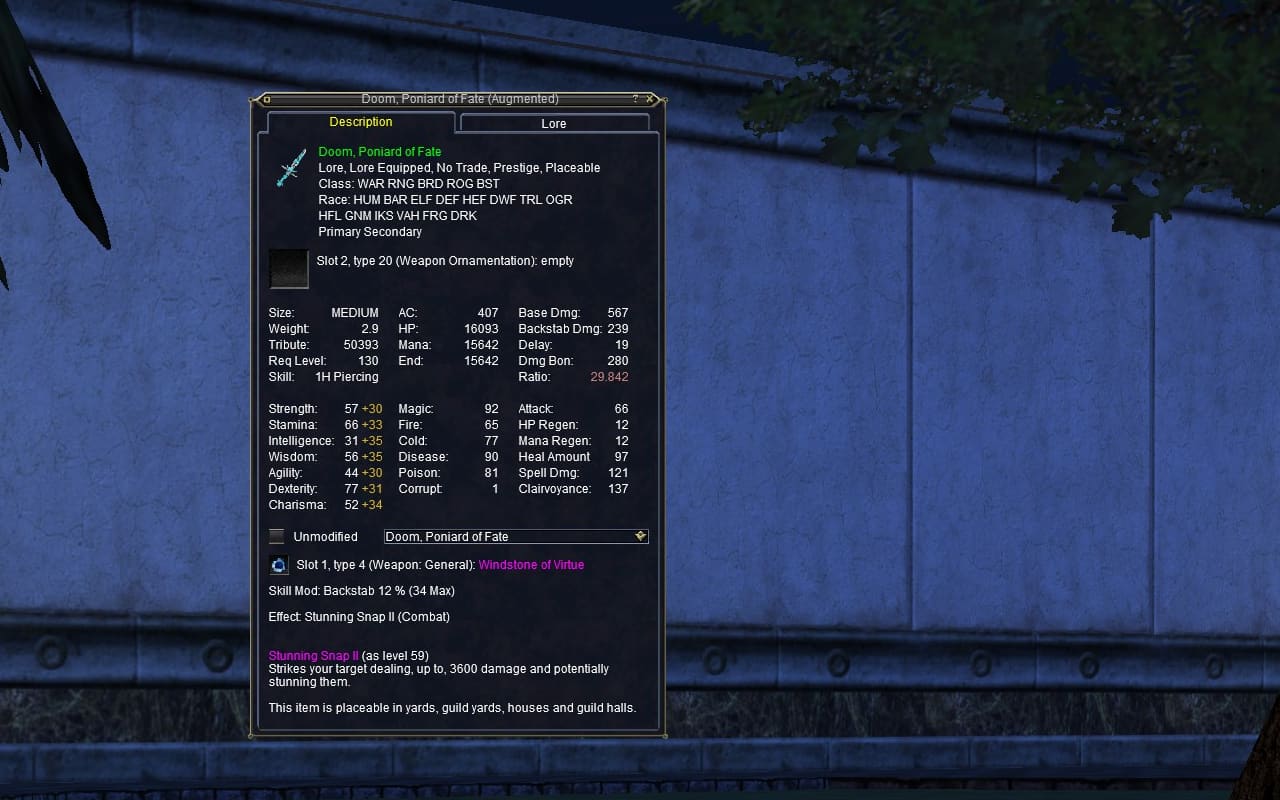
EverQuest
Griefpk on Xegony
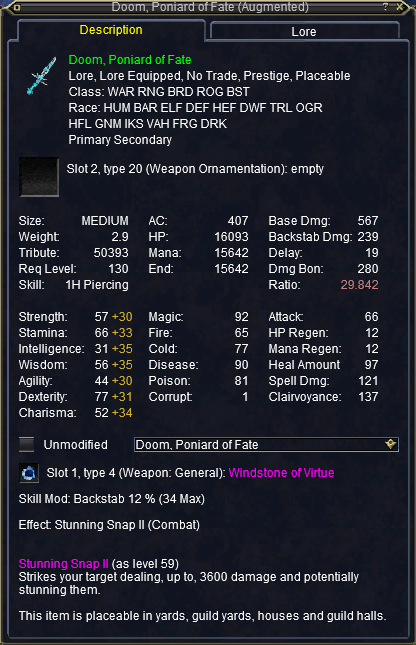
Doom, Poniard of Fate: 33 stats read
Credited to Griefpk
Saved.
For 27 years, EQ item data has been typed in by hand or captured from the game’s traffic. The Scribe does it better: every item copied straight off the game’s own window, letter by letter, on your computer, and checked by the player holding it. No typos. No sniffing. Nothing touching the game.
Why not type it in? A modern weapon has more than thirty stats, plus augments, effects and a skill mod. Typing all of that is slow, one wrong digit is easy to miss, and nobody can tell a typo from the real number afterwards. A database built by hand fills up with mistakes no one can find.
Why not AI? We wanted the person who owns the item to stay in charge of every read, not a program guessing on their behalf. So EQStash works like paper cut-outs: it holds a cut-out of every letter in the game’s own font and lays them over the window until each one fits. A letter that fits nothing stays a question mark instead of a guess. It can still get something wrong, so the card shows you the whole copy before it counts, and you, the Scribe, check every item.
Nothing goes in on its own. Every item is opened by a player, checked against the window, and placed in the database on purpose, with their character’s name on it.
EQStash never reads the game’s memory or its network traffic. It sees an item window the way you do: on your screen, when you press Scribe.
Nobody types a stat in, so there are no typos. Every letter is matched against the letters the game itself draws, and a letter that matches nothing shows as a question mark.
The card lays out what it read the way the window does, three columns and all, so you can check it against the window before you scribe the next item.
You pick the item and you draw the box. Every item you scribe carries your character’s name, in EverQuest and in Legends.
Press Scribe in the EQStash app and the Scribe card opens over the game. It stays there while you play, so a bag of items is one after another.
Open the item’s window in the game. Make it tall enough to show everything: if the window has a scroll bar, the card asks you to make it taller and scribe again.
The screen dims. Drag a box around the item window and press Use This. The box can be loose: EQStash finds the window inside it. Retry draws the box again, and Cancel backs out.
The card shows what it copied, laid out like the window. If it matches, press Save, and the item goes into the database credited to your character. Nothing is sent until you do: press Scribe again or close the card, and the copy is dropped. If something looks off once it’s saved, press Looks wrong. If the item has a Lore tab, click it in the game and scribe again.
EverQuest
Griefpk on Xegony
Open an item in the game, then press Scribe.
Credited to Griefpk
Saved.
EverQuest
Griefpk on Xegony
Drag a box around the item window.
Credited to Griefpk
Saved.
EverQuest
Griefpk on Xegony
Doom, Poniard of Fate: 33 stats read
Credited to Griefpk
Saved.
The Scribe never guesses. A letter that matches nothing stays a question mark, and the card marks it in orange, so a wrong word can’t slip into the database looking right.
This is a real copy from 2 October. The Focus Effect came back as “Fo?bod?ng Duress II”: the touching “re” and the “i” matched nothing. The Scribe has learned those letters since, and today it reads the same window whole.
Coming next You fill in a marked letter right on the card, before it’s sent.
Velium Infused Flameweaver Cap: 29 stats read
The card as it read that night, with the fill-in step that is coming next.
Everything the window shows, kept as the game wrote it. This is EQStash’s read of the window above.
Lore · Lore Equipped · No Trade · Prestige · Placeable
33 stats, the augment in slot 1, the empty ornament slot, the skill mod and the effect, read by EQStash from the window on this page.
Live, progression, Test or Beta: scribe wherever you play. The Scribe knows which server you’re on and keeps each one’s items apart, so a progression server’s version of an item never touches Live’s, and nothing you scribe on Test or Beta changes anything else. You never have to think about it.
Legends draws its item windows with the same letters as EverQuest, on its own stone background, and the Scribe reads both. A Legends item’s tier and Exaltation slots come along with its stats, and in Legends, scribed items are where EQStash’s item data comes from.
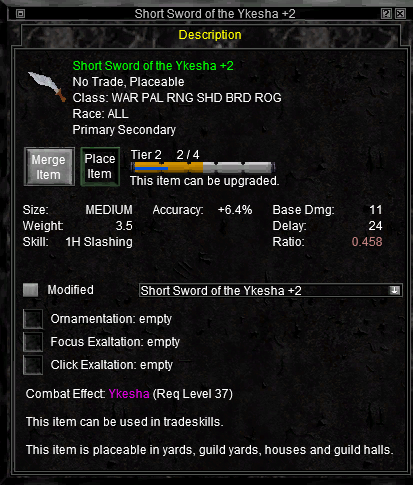
EverQuest Legends
Griefpk on Rivervale
Short Sword of the Ykesha +2: 7 stats read
Credited to Griefpk
Saved.
The Scribe has learned one thing: the letters EverQuest draws in its item windows. It can’t read your chat, your other windows or the rest of your screen. It looks only when you press Scribe, and only inside the box you draw.
If EQStash can’t find an item window in your box, Send it anyway sends the box as it is, for us to look at.
Account
Sign in to see your view of every persona you have synced, and the public page of each one you made public.
Discord gives us your user ID, display name and avatar. We never see your Discord password. More in the privacy statement.
Profiles come from the EQStash app, free for Windows. Get the app
There is nothing at this address. The link may be out of date.
Search all items to find what you were after.
Sign in to send a report. Signing in takes a Discord account.